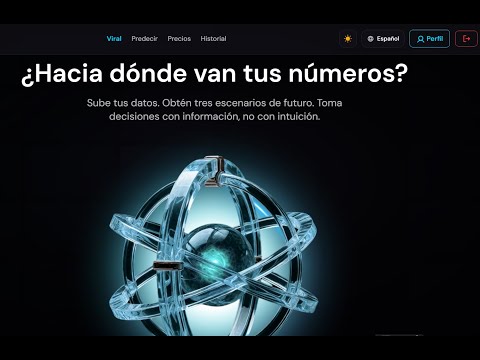
Shopify Demand Forecasting | ApisDom Forecast
1:54
Sobre este vídeo
From installation to a new Shopify store
This video shows the complete first-run experience of ApisDom Forecast, starting from the Shopify App Store and continuing inside Shopify Admin after installation. The goal is not to demonstrate a successful forecast, but to show what happens when a newly installed store does not yet have enough sales history to generate one responsibly.
ApisDom Forecast is designed for demand forecasting inside Shopify, using the store’s own historical sales data to estimate revenue, orders and units sold. But before allowing any prediction to run, the application first checks whether the available data is sufficient to support a meaningful result.
Two free credits, protected until they can be used
Every new installation receives two free forecasting credits. In this demo, however, the store is new and does not yet have enough historical data, so Forecast does something deliberately unusual: it gives the merchant the credits but does not allow them to be wasted.
The credits remain available in the account until the store has accumulated enough usable sales history. No prediction is generated simply to produce a result, and no credit is consumed while the Quality Shield determines that the available data is insufficient.
Quality Shield before forecasting
Before every prediction, ApisDom Forecast runs its Quality Shield to evaluate whether the store’s historical data is suitable for forecasting. The system does not treat every time series as equally predictable and does not assume that producing a number is always better than refusing to calculate one.
In the store shown in this video, the result is clear: there is not yet enough history. Forecast therefore blocks the prediction and explains the reason directly inside the application instead of returning a forecast that could appear precise without having enough evidence behind it.
No prediction means no charge
One of the central design decisions shown in the demo is that a blocked prediction does not consume credits. The merchant can explore the application, configure forecasting options and understand how the system works without losing the two credits included with the installation.
The same principle applies to purchasing. If the store is not yet in a position to use forecasting properly, the interface avoids turning the lack of data into an opportunity to sell credits that cannot yet provide value.
Forecast will tell you when the store is ready
A new merchant should not have to return repeatedly just to check whether enough data has accumulated. When Forecast detects that the store is not ready, the user can request to be notified when the available sales history becomes sufficient for forecasting.
The application then handles that waiting period for the merchant. Once the store reaches the required conditions, Forecast can send an email letting the user know that they can return and use the credits that have remained available in their account.
Forecasting options inside Shopify
The video also shows the forecasting interface available directly inside Shopify Admin. Merchants can choose what they want to forecast, including revenue, number of orders or units sold, and configure the historical period and forecast horizon according to the available data.
When a store does have sufficient history, Forecast can generate conservative, central and optimistic scenarios together with an error margin calculated from that store’s own historical behaviour rather than from a generic industry average.
Credits without a subscription
ApisDom Forecast uses a credit-based model rather than requiring a recurring subscription. Credits are purchased when needed and do not expire, allowing merchants to use forecasting around the moments when it is actually useful to them rather than paying every month regardless of usage.
The application keeps the current credit balance visible and makes the relationship between forecasting and credit consumption explicit. If Quality Shield blocks a prediction before execution, that balance remains unchanged.
History, settings and data controls
The demo also walks through the broader application environment, including forecasting history, account settings, language options, credit management and data controls. The application is designed to remain inside the Shopify workflow rather than sending merchants to a separate forecasting platform.
Forecast also provides controls related to stored data, privacy and account management, giving the merchant visibility over how the application is configured and how their forecasting activity is handled.
Built-in support and automatic diagnosis
A significant part of the video shows the support system integrated directly into Forecast. Users can select the problem they are experiencing, access relevant help resources and run an automatic diagnosis before opening a support ticket.
If the issue still requires assistance, the case can be escalated into a ticket without leaving the application. The merchant can follow the conversation, receive responses and track the status of the case from the same Shopify environment.
A different kind of forecasting demo
There are other ApisDom Forecast demos showing the application generating predictions. This video deliberately shows the opposite case: what happens when forecasting should not yet be performed.
The important result here is therefore not a number on a chart. It is the system refusing to manufacture one. The merchant receives two free credits, keeps them while the store is not ready, gets a clear explanation of why forecasting has been blocked and can be notified automatically when enough historical data becomes available.
That behaviour is part of the forecasting system itself. Knowing when not to produce a prediction is as important as producing one when the underlying data supports it.
ApisDom forecasting infrastructure
ApisDom Forecast runs on ApisDom’s own prediction infrastructure and microservices layer, with Amazon Science’s Chronos-2 used as the underlying time-series inference model. ApisDom manages the technology surrounding the model, including data validation, forecasting orchestration, quality controls, confidence intervals and historical error evaluation.
The Shopify application is therefore not simply a direct interface to an external model. The forecasting workflow, validation logic, Quality Shield, Shopify integration, credit system, data controls and support environment are part of the ApisDom product layer built around the forecasting engine.
Explore ApisDom Forecast
Shopify App:
apps.shopify.com/apisdom-forecast?locale=en
Forecasting Methods Comparator:
foresight.apisdom.com/en/pages/app
Transcripción
00:00–00:19 Shopify App Store, producto e instalación
00:20–00:29 Settings / créditos / información
00:30–00:39 Configuración de Forecast
00:40–00:55 History, créditos, planes, FAQ
00:56–01:33 Soporte
01:34–01:53 Settings, dashboard y bloqueo por histórico